

Overview
Graitec FILE SYNC is a desktop application that synchronizes, transfers, and backs up files across cloud and on-premise systems, including Bluebeam, Autodesk Construction Cloud (ACC/BIM 360), SharePoint, OneDrive, Procore, Egnyte, Dalux, and more.
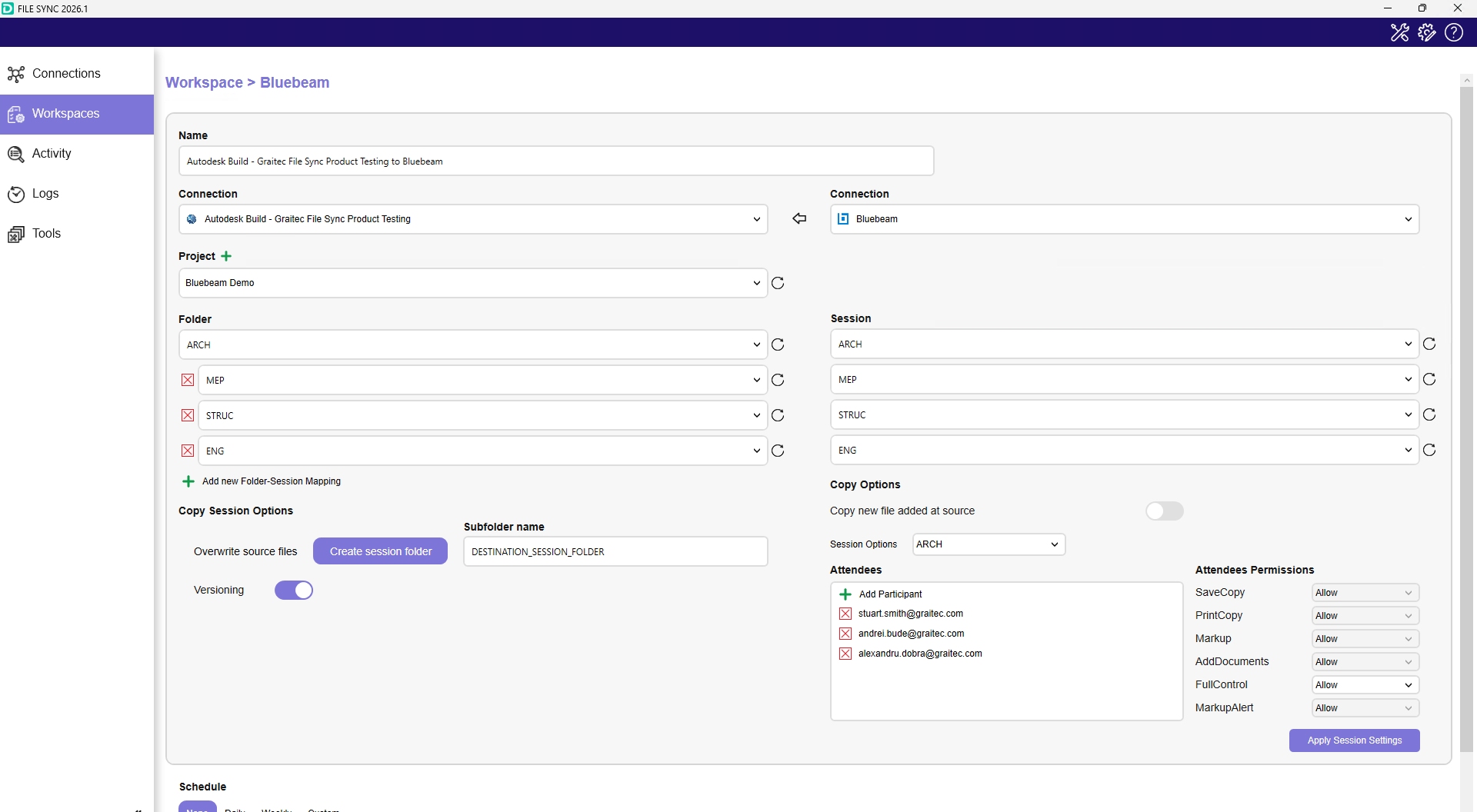
- Bluebeam Studio Sessions: Create new sessions directly from FILE SYNC, define session names, assign users, and set permissions.
- Multi-Folder to Session Mapping: Sync multiple folders or project directories into one or more Bluebeam Sessions for collaborative review across disciplines.
- Session Folder Replication: Automatically create a corresponding “Session Folder” at another destination (e.g., ACC), versioning and archiving session files.
- Sync Session Updates: Push updated files from Bluebeam Sessions back to another system for approval or archiving.
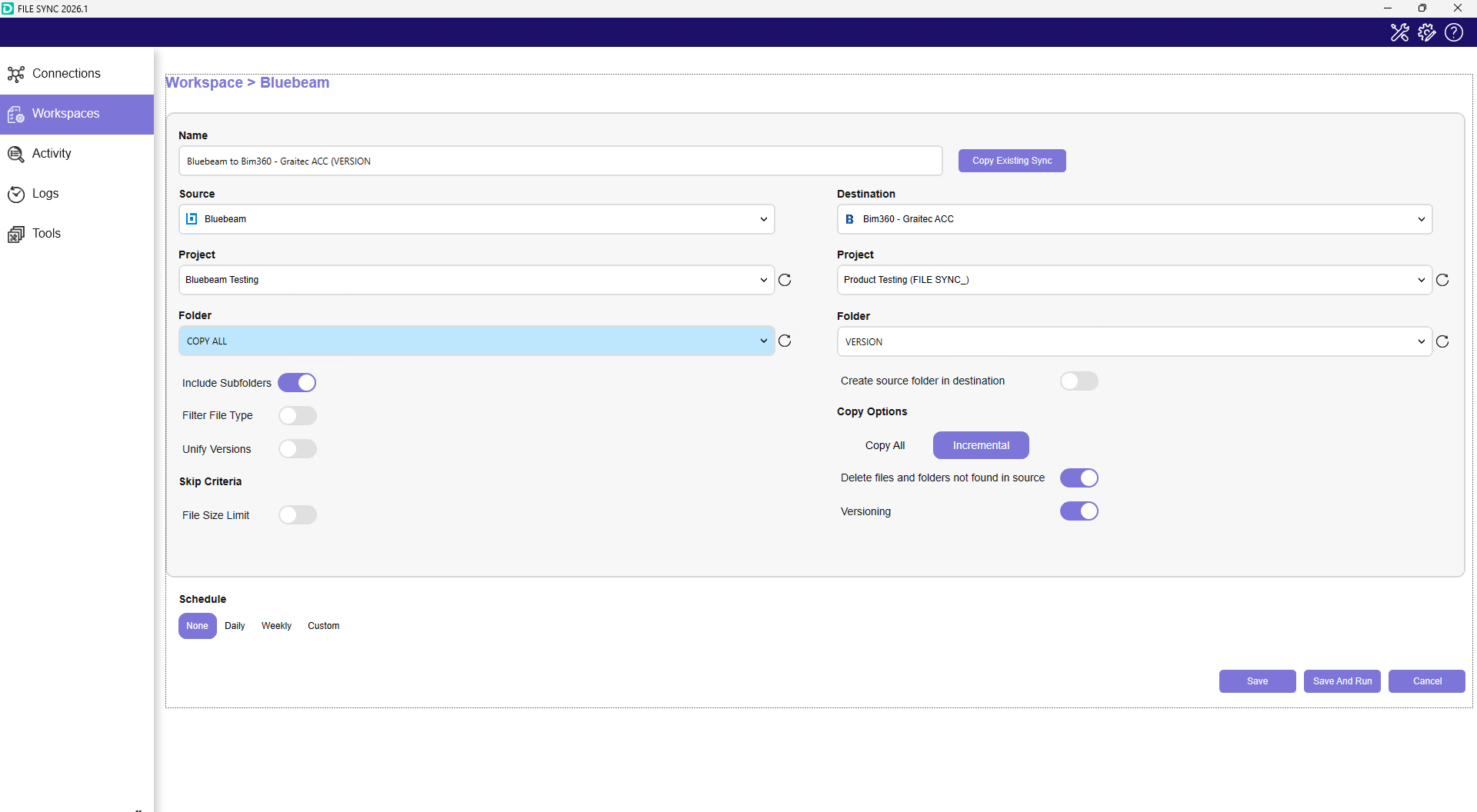
- Bluebeam Studio Projects (One-Way Sync): Synchronize files to or from Bluebeam Studio Projects, allowing controlled transfer of project files while maintaining structure and versioning.
- Scheduling and Automation: Run manual or scheduled syncs to align design workflows across platforms.
Bluebeam Server Region(s) Supported
- United States
End User Requirements
- Bluebeam subscription
- Active Graitec FILE SYNC license
- FILE SYNC is a desktop application supporting the Windows operating system
- User must be authenticated with all connected platforms required for syncing.
- Depending on platform, you may be required to install the Graitec FILE SYNC APP.
- For more information, please refer to the help guide: FILE SYNC