

Overview
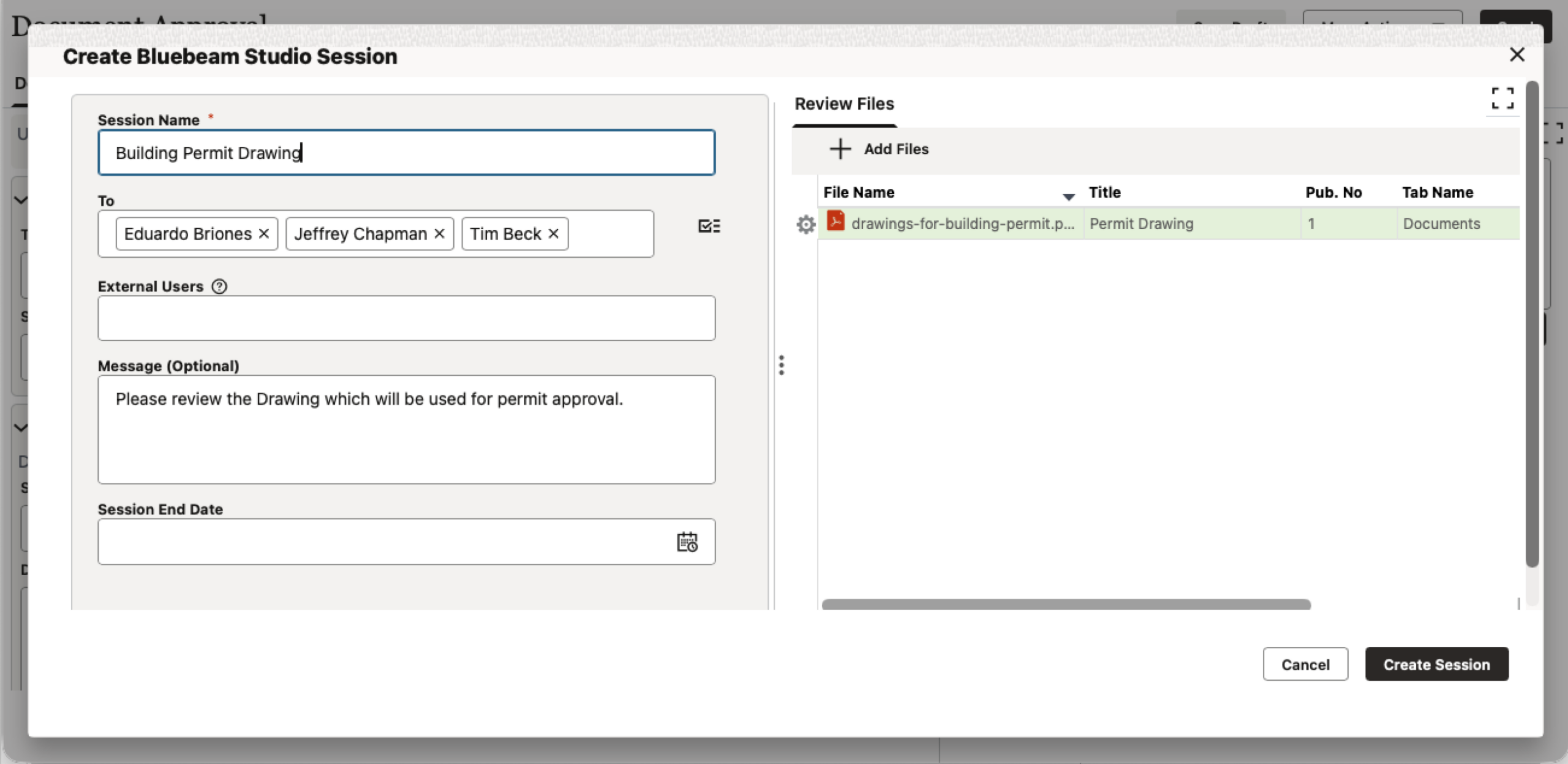
Primavera Unifier’s integration with Bluebeam lets users seamlessly move drawings to Bluebeam for review sessions, including making use of Bluebeam Studio Session. The reviewed files, markups, and comments can then be saved back into Primavera Unifier, to support version control and become a part of the complete project record. Once back in Primavera Unifier, the next appropriate actions can be taken.
Key Features and Capabilities
File review and markup
- Initiate a Bluebeam Studio Session for a single file or for multiple files.
Studio Session from within a Unifier Business Process Record
- You can initiate a Bluebeam session from within any workflow or non-workflow Unifier business process and then review any or all the attachments in a business process record using Bluebeam.
Status tracking
- The Bluebeam Log tab seen in the right pane of the Primavera Unifier Document Manager allows you to view details of the Bluebeam Studio Session associated with the selected file.
Session Finalization
- A Bluebeam session can be finalized, and the consolidated markup and comments are returned to Primavera Unifier. The comments can be created as lines in a Unifier business process.
Version control
- All project documents are stored and accessible from within Primavera Unifier, helping to ensure your team works from the correct and latest file versions.
Security and Permissions
- Primavera Unifier’s granular and flexible permissions apply across the Bluebeam integration.
Bluebeam Server Region(s) Supported
- United States
End User Requirements
- Bluebeam subscription
- Oracle Unifier license